Instagram Reels have become one of the most popular and engaging tools for creating and sharing short, dynamic content. For those interested in saving these videos, the question arises of how to save or download an Instagram Reel. Although there is no direct option within the platform, alternative methods let you download Reels on both mobile devices and computers.
How to download Instagram Reels
Let's start by exploring several ways to download Instagram Reels, a process that can be done using third-party apps or specialized websites. These methods are useful, especially when you want to keep content for offline viewing or share it on other platforms.
One of the best-known options for mobile users is InstDown, an app that makes it easy to download Reels directly to your phone. If you prefer working on a computer, jDownloader is software that lets you manage downloads from multiple sources, including Instagram Reels.
There are also websites such as Instavideosave.net, which offer a quick solution without requiring you to install additional software. Simply paste the Reel link and start the download. This method is very convenient for anyone who wants to avoid installing extra apps.
To make sure the process works, the Reel must be public, and the Instagram account must not be private. Private Reels and those from private accounts have download restrictions to protect users' privacy.
How to save Instagram Reels to watch later
If you don't want to download an Instagram Reel but would like to access it easily later, Instagram lets you save it to your private collection in the app. Simply tap the save icon below the Reel, and it will be stored in your profile under the “Saved” section.
This feature is great for organizing content you want to revisit or keeping a collection of inspiration. Remember, this doesn't download the Reel to your device; it simply keeps it accessible within Instagram.
How to download someone else's Instagram Reel
One of the most common ways to save Reels from other creators is to use screen-recording tools. Both Android and iOS offer this feature natively.
Alternatively, third-party apps such as SnapInsta let you download Reels by entering the link to the video you want to save. These tools are usually very intuitive and provide files in MP4 format, ideal for playback on various devices.

Remember to always respect content creators' copyright and privacy. If you plan to share or reuse a Reel, it's advisable to get the original creator's permission.
How to download an Instagram Reel with audio
Downloading Reels with audio can be an extra challenge, as some tools download the video but leave out the sound. Make sure the app or website you choose supports downloading the included audio. For example, TikTok has popularized downloading short videos with audio, and many tools that let you download TikTok content also offer the option to download Instagram Reels with the sound included.
It’s important to remember that music or audio in Reels is often protected by copyright, so you should use it responsibly and in accordance with Instagram’s terms of use.
How to Download an Instagram Reel Easily
If you’re looking for a quick and straightforward way to download Reels, online services are a good option. These services usually only require the Reel’s link and handle the whole process without requiring any additional installations. The result is a downloadable MP4 file that you can save to your device and watch whenever you like.
Remember, always check that the website or app you choose is legal and secure to avoid any privacy or data security issues.
Frequently Asked Questions About Downloading Instagram Reels
How can I download Instagram Reels?
You can download Instagram Reels using mobile apps such as InstDown or online services that let you download a Reel by entering its link. These services are accessible from any device with an internet connection.
On a computer, tools such as jDownloader and specialist websites make it easy to download Reels directly as video files for offline use.
How do I save an Instagram Reel to my phone’s gallery?
You can save an Instagram Reel directly to your smartphone’s gallery by using the screen recording feature or apps designed to download videos. These apps will ask for the Reel’s link and, after processing it, let you save the video to your device.
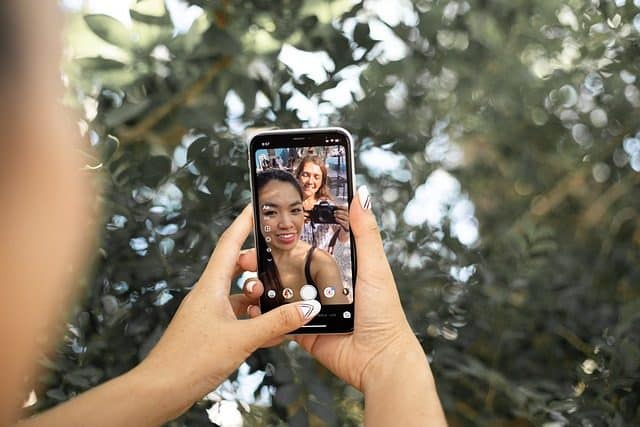
Make sure the app you choose downloads both the video and audio so you can enjoy the entire Reel.
How do I copy an Instagram Reel to WhatsApp?
To share an Instagram Reel on WhatsApp, first download it to your device using one of the methods mentioned above. Once it’s saved on your device, you can attach the video file directly in a WhatsApp chat or group.
When sharing someone else’s content, remember to respect the original creator’s copyright and privacy.
How do I enable the option to download Reels on Instagram?
Instagram doesn’t offer a built-in option to download Reels directly. However, you can save Reels in the app so they’re easy to access later. If you want to download them to your device, you’ll need to use the external tools and methods discussed earlier in this article.
Options for downloading Reels rely on third-party apps and screen recording features available on most modern smartphones.
To provide more information on how to download an Instagram Reel, here’s a video demonstrating one of the methods mentioned:
There are various ways to download Instagram Reels, depending on each user’s needs. Whether you want to save a funny, educational or inspiring Reel, these tools make it easy to keep and share content. Always remember to respect intellectual property and privacy policies when downloading and using someone else’s content.