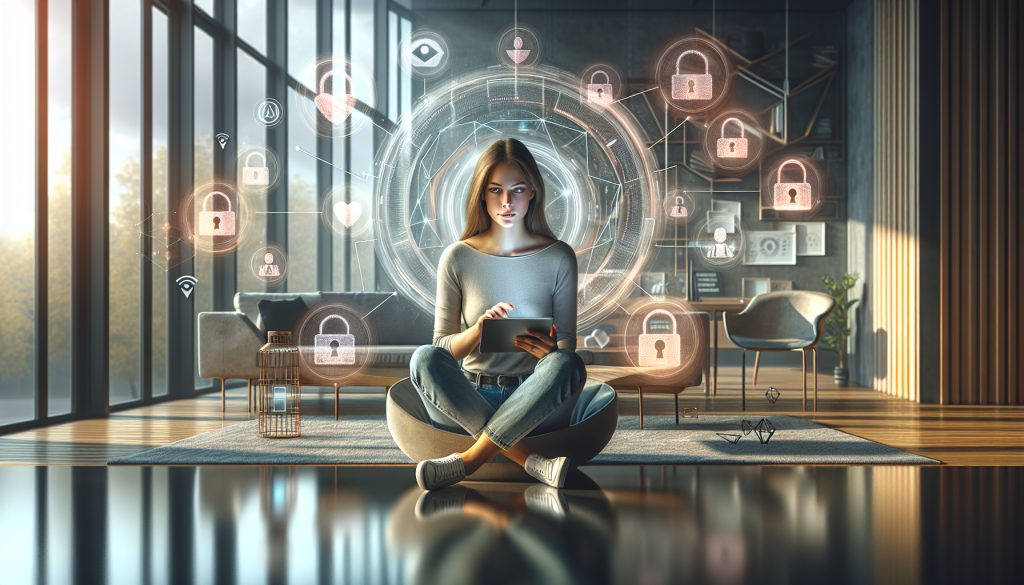
Social media privacy has become a critical issue in the digital age. With the growing amount of data we share on platforms like Facebook, Instagram, and TikTok, it's essential to take steps to safeguard our personal information. In 2025, learning how to manage and protect our data online is more important than ever.
This article explores effective strategies and recommended practices for protecting your privacy on social media in 2025, so you can enjoy these spaces without compromising your personal security.
What Is Social Media Privacy and Why Is It So Important?
Social media privacy refers to your ability to control who has access to your personal information and how it is used. In a world where information is shared instantly, understanding the importance of privacy is vital.
Poor privacy practices can lead to serious problems, such as identity theft or the misuse of personal data. Protecting your privacy is essential to stay in control of your information and avoid harmful situations.
Social media platforms collect valuable data about their users, including their preferences, location and behaviour. Understanding how this information is used can help you become more aware of your online exposure.
How to Protect Your Personal Data on Social Media
One of the most effective ways to protect your data is to configure your profile settings properly on each platform. We recommend following these steps:
- Review and adjust each platform’s privacy settings.
- Use strong passwords and change them regularly.
- Enable two-factor authentication for added security.
It’s also a good idea to be selective about what you share. Ask yourself whether you need to disclose certain details, and follow the principle of data minimisation by avoiding sharing sensitive information you don’t need to.
Finally, stay informed about the privacy policies of the platforms you use. Regular updates can affect how your personal information is handled.
What Personal Data Should I Protect Online?
There are several types of data that should be carefully protected online:
- Contact information, such as your email address and phone number.
- Financial data, including bank account and credit card information.
- Geographic location, which can be used to track your movements.
You should also be mindful of information related to your identity, such as your personal identification number and employment details. Sharing these details can make identity theft and other types of fraud easier.
It’s essential to be aware of what data you share and with whom. Protecting your personal information is a crucial step in staying safe online.
What Are the Best Ways to Protect Your Privacy on Social Media?
There are several practices you can adopt to improve your privacy on social media:
- Set your profiles to private to limit who can see your posts.
- Avoid accepting friend requests from people you don’t know.
- Turn off geolocation on your posts and photos.
- Use password management tools to keep your accounts secure.
It’s also vital to learn about digital threats and the tactics scammers use. Understanding how phishing and other deceptive techniques work can help you protect yourself.
Finally, review your privacy settings regularly and make sure they meet your needs and reflect any changes to platform policies. Ongoing vigilance is key to staying safe online.

How to Set Up Privacy on TikTok, Facebook, Instagram and LinkedIn
Each social media platform has its own set of privacy options. Here’s how to configure them on some of the most popular platforms:
TikTok
On TikTok, you can set your account to private in the “Privacy and Safety” section. This limits who can view your videos and send you direct messages. You can also turn off the option that lets others find you using your phone number.
Facebook offers a range of privacy settings you can adjust. Be sure to check the “Settings & Privacy” section and choose who can see your posts and personal information. You can also manage which apps have access to your data.
To protect your privacy on Instagram, set your profile to private. This ensures that only your followers can see your posts. You can also review which apps are connected to your account and revoke access if necessary.
On LinkedIn, you can control who sees your profile and updates. Go to “Settings & Privacy” to choose who can see your connections and activity on the platform.
What Are the Consequences of Poor Privacy on Social Media?
Poor privacy on social media can have a range of personal and professional consequences:
- Identity theft: Criminals can use your personal information to impersonate you.
- Financial fraud: Your financial information could be compromised, potentially leading to significant losses.
- Reputational damage: Exposure of private information can affect your personal and professional image.
In addition, poor privacy can lead to cyberbullying. Information you share publicly may be used to harass or threaten you, which can have devastating effects on your emotional well-being.
That’s why it’s crucial to take appropriate steps to protect your information on social media. Prevention is always better than a cure, and protecting your privacy is a personal responsibility.
Frequently Asked Questions About Protecting Your Privacy on Social Media
How Can You Protect Your Privacy on Social Media?
To protect your privacy on social media, it’s essential to adjust each platform’s privacy settings. This includes setting your profiles to private, limiting who can see your posts and using strong passwords. It’s also important to learn about digital threats and follow good security practices, such as enabling two-factor authentication.
What Should I Do to Protect My Identity on Social Media?
To protect your identity on social media, avoid sharing sensitive personal information, such as your address or phone number. Use privacy settings to limit access to your profile, and regularly review the list of apps connected to your accounts. It’s also a good idea to be cautious when accepting friend requests.
What Tips Should You Follow to Stay Safer on Social Media?
Some tips for improving your security on social media include using unique, complex passwords, enabling two-factor authentication, checking who can see your posts and thinking critically about the information you share. Staying informed about the latest threats and security practices is also essential.
How Can You Protect Your Privacy?
You can protect your privacy by configuring your social media accounts properly, reviewing privacy policies and limiting the information you share. Using tools such as strong passwords and two-factor authentication is effective. Learning about digital threats and how platforms work can also help protect your information.